






SleekPixel for macrame artists
Cord type, size, dowel, and price already live on the product post. SleekPixel renders a 1080x1080 card on save so each piece and pattern ships with a coordinated graphic.
♾️ Lifetime License available
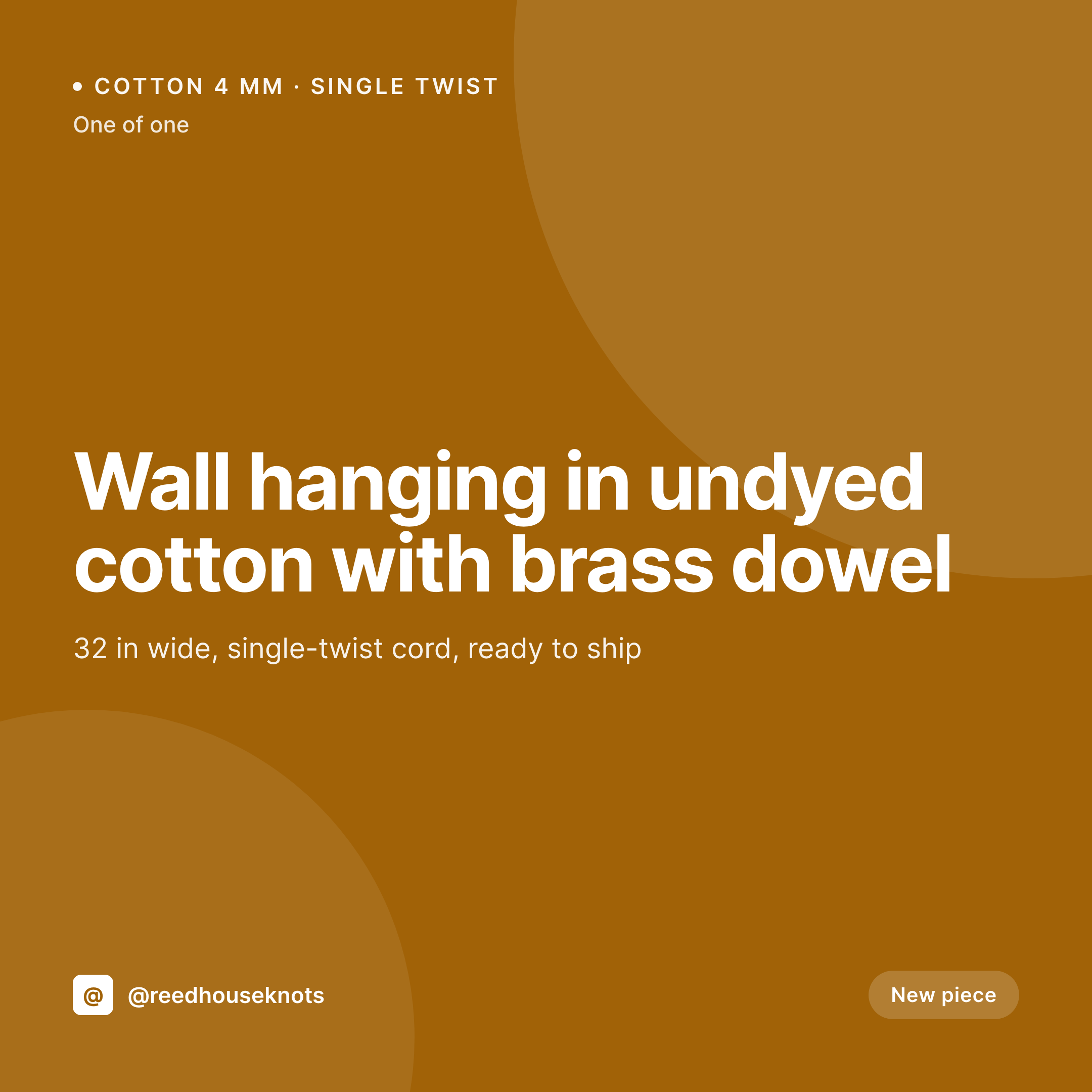
From knot to grid in one save
Macrame artists run two product lines on the same Instagram grid. Finished pieces ship as one-of-ones or short runs (wall hangings, plant hangers, table runners), and pattern PDFs ship as digital downloads (knotting guides, project plans, kits). Each one wants a card with the piece name, the cord type and size, the dowel or hardware, the dimensions, and a price.
The shop already carries this data. The product post on the WooCommerce or Easy Digital Downloads site has the cord, the size, the dowel, the dimensions, the price, and the stock state. What's missing is the bridge to the grid, which today is an artist with cord scraps still on the floor opening Canva to retype the same fields they typed into the product post.
SleekPixel reads those product fields and renders a 1080x1080 PNG on save. The cord type, size, dowel, and price sit on the card. The studio's wordmark, palette, and type system ride every piece and every pattern. The PNG lands in uploads, the og:image is wired, and the artist posts the card directly from the product screen.
Workflow
From knot to grid
Map piece and pattern fields
Design two template variants
Save the piece or pattern
Post from the studio
Output
Sample card from a macrame product
A 1080x1080 square rendered from a piece's cord type, size, dowel, dimensions, and price.


Comparison
Default macrame artist image vs SleekPixel
Default macrame artist image
- Artist rebuilds piece cards in Canva between knotting sessions
- Cord type and size drift across posts
- Finished pieces and pattern downloads use mismatched layouts
- Restock announcements skip a coordinated card
- Limited dye lots launch without a clear visual rollout
SleekPixel
- Auto-rendered Instagram card per piece, restock, and pattern release
- Cord type, size, dowel, dimensions, and price pulled from the product post
- Variant templates for one-of-ones, small runs, and digital patterns
- Bulk regenerate after a wordmark refresh, every past card updates
- Falls back cleanly when fields like dowel or dye lot are missing
Features
What SleekPixel gives you for macrame artists
Cord notation
Cord type (single twist, three-ply, braided) and size in millimeters render with a consistent label so each piece's materials read clearly.
Dimensions on card
Width, length, and fringe drop render from the product post so each card carries the right scale at a glance.
Pattern variant
Digital patterns get a variant template with pattern length, difficulty, and required cord, so the grid distinguishes pieces from patterns clearly.
Use cases
Who uses SleekPixel for macrame artists
Finished-piece artists
Artists selling one-of-one wall hangings and plant hangers get a coordinated grid without a designer or a Canva subscription.
Pattern designers
Pattern PDFs use a variant template with difficulty, cord requirements, and finished size pulled from the digital download post.
Workshop hosts
Knotting workshops use a workshop-variant template with cohort dates, included materials, and seat counts from the event post.
The bigger picture
Why a coordinated macrame grid sells both pieces and patterns
Macrame buyers come to Instagram for two reasons: to buy a finished piece for a wall or porch, or to buy a pattern they can knot themselves. The grid has to serve both, and it has to do so without confusing one for the other. A grid where every piece and every pattern uses the same notation, palette logic, and brand frame reads as a studio with a real practice on both sides.
A grid where each post is a fresh Canva card reads as a hobbyist between projects. Templated cards rendered from the product data the studio already keeps in WordPress make that consistency cheap, so the next pattern release lands in a feed that already feels familiar.
Questions
Common questions about SleekPixel for macrame artists
Yes. SleekPixel reads standard WooCommerce and EDD product fields plus any ACF or Meta Box custom fields you add for cord, size, and dowel.
Yes. Map each post type or category to a template variant. SleekPixel routes on save based on the post's type or terms.
Map a cord-color or dye-lot taxonomy to a template accent color. Undyed, natural-dye, and dyed cord families each render in their own palette.
Yes. Add a fiber field on the product. SleekPixel renders it on the card as a small materials line.
Yes. A workshop CPT and a workshop-variant template render cohort dates, fees, and material requirements from the event post.
Set a default like 'One of one' for the stock field, or hide the stock block so the card renders without empty fields.
Yes. One-click bulk regeneration re-renders every past piece and pattern card with the updated template.
SleekPixel saves the PNG to uploads. Download from the product screen, or pull the URL into Later, Buffer, or Meta's scheduler.
Pricing
More than 1000+
happy customers
Explore our flexible licensing options tailored to your needs. Upgrade your license anytime to access more features, or opt for a lifetime license for ongoing value, including lifetime updates and lifetime support. Our hassle-free upgrade process ensures that our platform can grow with you, starting from whichever plan you choose.
Lifetime ♾️
Most popular
EUR
once
- Unlimited websites
- Lifetime updates
- Lifetime support
...or get the Bundle Deal
and save €250 🎁
💎 Want everything forever? The All Access Pass is going away on 01.08.2026.
The Bundle (unlimited sites)
Pay once, own it forever
Elevate your WordPress site with our exclusive plugin bundle that includes all of our premium plugins in one package. Enjoy lifetime updates and lifetime support. Save significantly compared to buying plugins individually.
What’s included
-
SleekAI
-
SleekByte
-
SleekMotion
-
SleekPixel
-
SleekRank
-
SleekView
€749
Continue to checkoutBrowse more
- acquisition announcement cards
- coming soon cards
- checklist cards
- pricing comparison cards
- year-end recap card
- session recap cards
- conference banner cards
- tutorial thumbnails
- press release
- SDK release card
- year in review cards
- behind the build card
- doors closing card
- merch drop cards
- weekly roundup cards
- Kindle book cover
- Bandcamp release cover
- Signal sticker pack
- YouTube banner art
- Tumblr header
- Audible audiobook cover
- Discord server icon
- Patreon tier images
- YouTube ad thumbnails
- Facebook post images
- Threads story-style images
- Instagram feed posts
- Rednote (Xiaohongshu) post
- Bluesky link cards
- Spotify podcast covers