






SleekPixel for locksmith
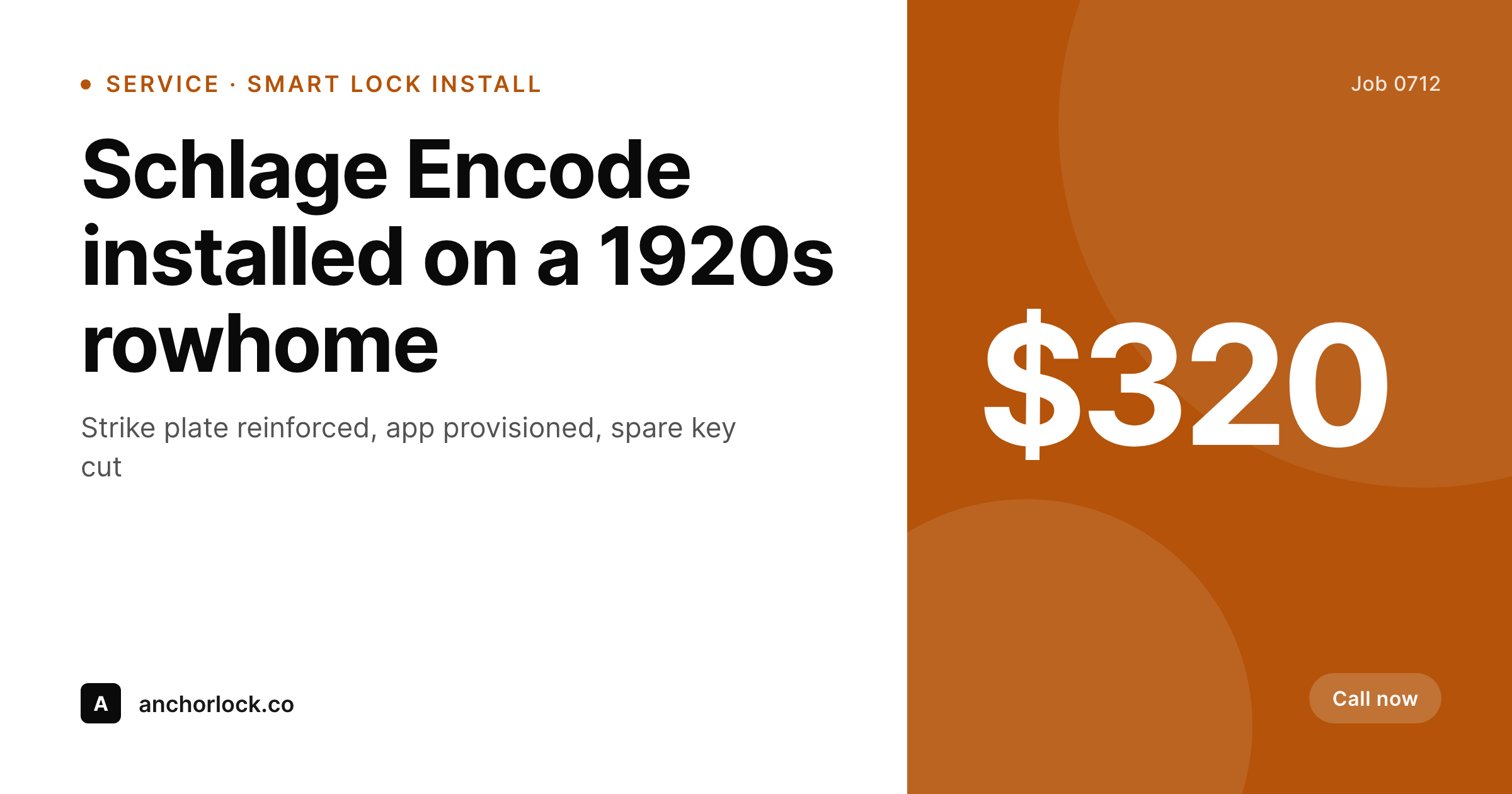
Service-call recaps, smart-lock install pages, and emergency-lockout posts already carry product, location, technician, and time data. SleekPixel renders a 1200x630 OG image on save so every share signals a real local locksmith, not a scam ad.
♾️ Lifetime License available
Locksmith search results are flooded with scam ads
The locksmith category is one of the most spam-saturated local searches on the internet. Out-of-state call centers buy local listings, charge $19 over the phone, and quote $400 on arrival. Real local locksmiths compete against this directly, and the visual surface of their website matters more than in almost any other trade. A prospect locked out of a car at 11 pm is scanning Google results in seconds, and the share preview, the photo, and the name on the post drive the click. A site that looks like a stock-photo template loses to one that looks like a real shop.
The local locksmiths winning that surface treat their job log as content. Smart-lock installs, rekey services, safe openings, and emergency lockouts all become posts on the site with product, brand, and location fields. Photos from the truck show real installs on real doors in known neighborhoods. The trouble is keeping that content visually consistent across hundreds of jobs. Without a template, every Facebook share looks like a different designer made it. With a template in Canva, every share takes a designer twenty minutes. Either way, the brand surface drifts and the share-driven traffic slows down.
SleekPixel turns each post into a branded share automatically. Job type, lock brand, neighborhood, and the truck photo render into a 1200x630 OG image on save. Facebook neighborhood groups, Google Business posts, and Nextdoor referrals all open with a clean card showing a real local company. The signal that separates a legitimate locksmith from a scam call center is exactly the visual consistency that customers rely on, and it is now produced as a side effect of publishing the post.
Workflow
From completed call to shareable recap
Map the job-recap fields
Build one branded template
Save the recap
Post and share
Output
What ships per service call
A 1200x630 OG image with service type, lock or product brand, neighborhood, technician, and visit time rendered over the truck photo from the job.
Comparison
Stock locksmith art vs auto-rendered job cards
Stock photos / Canva
- Local locksmiths compete with out-of-state scam ads on every search
- Real job photos sit on the technician's phone and never reach the site
- Service-area pages share with the same generic key-and-lock stock photo
- Emergency lockout posts look identical across every locksmith in the metro
- Brand drift across job posts because each Canva export uses different fonts
SleekPixel
- Service type, lock brand, neighborhood, and technician pull from job post fields
- Smart-lock install pages render product-specific OG cards per lock model
- Real truck photos slot into the template, not stock key-and-padlock art
- 1200x630 baked in for Facebook, Nextdoor, and Google Business Profile
- Emergency lockout posts get distinct branded cards per scenario and area
Features
What SleekPixel gives you for locksmith
Per-job cards
Each service-call recap saves with a branded share image. Service type and product brand render straight from the job fields.
Smart-lock product pages
Schlage, August, Yale, Kwikset install pages each get a product-specific OG card with the lock model and the local install context.
Emergency lockout posts
House lockouts, car lockouts, and safe openings each render a distinct branded card matched to the scenario and the neighborhood.
Use cases
Where locksmith share images get used
Facebook neighborhood groups
Posting a finished install or a 24-hour service reminder shows the company's branded card with the actual job and location.
Google Business posts
Weekly GBP updates about service calls, lock recommendations, and emergency availability share with images that match the brand.
Nextdoor referrals
When a neighbor recommends the locksmith on Nextdoor, the link preview signals a real local shop instead of a generic spam result.
The bigger picture
Why visual signal separates real locksmiths from scam ads
The locksmith category is one of the few where customer mistrust is baked in before the call connects. Years of $19 bait-and-switch scams have trained prospects to look for any signal that the listing in front of them is a real local shop. The website is where that signal either lands or fails to.
A site with stock locksmith art, generic city-by-city service pages, and copy clearly written by a national marketing vendor reads as suspicious even when the company behind it is honest. A site with technician photos, real job recaps, and consistent branded share previews reads as legitimate within seconds. SleekPixel makes the legitimate version produceable at the volume real shops actually need.
Every service call becomes a branded card, every smart-lock install becomes a product page with a real install photo, every emergency post shows the brand instead of looking like a scraped template. Across a year of work, the cumulative effect on the brand surface is the difference between blending into the scam-ad noise and showing up as the obvious local choice. The company stops paying the trust tax that the scam category imposes on legitimate operators.
Questions
Common questions about SleekPixel for locksmith
SleekPixel reads WordPress post fields. If dispatch software pushes completed jobs into a CPT through Zapier, Make, or a custom API, the share image renders on save. Workiz, Housecall Pro, ServiceTitan, and similar platforms expose webhooks that can populate WordPress posts with job data.
Yes. The template can branch on a service taxonomy or a custom field, so smart-lock installs render with one accent palette, rekeys with another, and safe openings with a third. All variants share the brand wordmark and type stack to stay unified.
Smart-lock product pages are usually a CPT or pages tagged by brand. SleekPixel reads the brand field and renders a per-product OG image. The Schlage Encode page, the August Wi-Fi page, and the Yale Assure page each get their own branded share preview.
Yes, with a frontend form (Gravity Forms, WPForms, Frontend Submissions). The technician completes a quick mobile form after the call, the post saves, SleekPixel renders the image. Many shops use this as a same-day reporting flow tied to invoicing.
Indirectly. SleekPixel does not change Google's local rankings, but it makes every share preview look unmistakably like a real local company. Customers comparing search results increasingly rely on this signal to filter out scam listings, especially in the locksmith category.
Yes, with a conditional price field. Emergency posts often show a price band (for example, lockouts from $95) to counter the bait-and-switch reputation of the category. Other posts can hide the price entirely. The same template handles both.
Service-area pages are typically a CPT or pages tagged by city or neighborhood. SleekPixel reads the area field and renders a per-neighborhood OG image. Each service area gets a distinct branded share with its own local context, not a repeated stock photo.
Yes. Bulk regenerate runs the current template against every existing recap post. If the truck wrap changes color or the shop rebrands, the entire archive of share images updates in one pass without editing each post by hand.
Pricing
More than 1000+
happy customers
Explore our flexible licensing options tailored to your needs. Upgrade your license anytime to access more features, or opt for a lifetime license for ongoing value, including lifetime updates and lifetime support. Our hassle-free upgrade process ensures that our platform can grow with you, starting from whichever plan you choose.
Lifetime ♾️
Most popular
EUR
once
- Unlimited websites
- Lifetime updates
- Lifetime support
...or get the Bundle Deal
and save €250 🎁
💎 Want everything forever? The All Access Pass is going away on 01.08.2026.
The Bundle (unlimited sites)
Pay once, own it forever
Elevate your WordPress site with our exclusive plugin bundle that includes all of our premium plugins in one package. Enjoy lifetime updates and lifetime support. Save significantly compared to buying plugins individually.
What’s included
-
SleekAI
-
SleekByte
-
SleekMotion
-
SleekPixel
-
SleekRank
-
SleekView
€749
Continue to checkoutBrowse more
- Ghost feature images
- X ad images
- X Space banners
- Instagram collab post images
- Douyin cover
- Pinterest shop banners
- Threads profile banners
- Kindle book cover
- Slack channel headers
- Twitter header banners
- Medium article headers
- podcast cover art
- Bandcamp banner
- Etsy listing images
- Facebook group banners