






SleekPixel for Airtable records
Airtable is where many teams keep the source of truth for customer stories, directories and CRM rows. SleekPixel reads those records once they land in WordPress and renders a branded OG image per row, so every public link shares with a proper card.
♾️ Lifetime License available
Airtable holds the data, WordPress holds the page
Airtable runs the back office of a surprising amount of the modern web. Customer story tracking, partner directories, internal CRMs, content calendars, podcast guest pipelines, awards databases, all of it sits in Airtable bases. When that data needs to be public, the typical pattern is to sync the base into WordPress, either via a dedicated connector, a Zap, or a custom REST hook. Each record becomes a WordPress post, each field becomes a meta key.
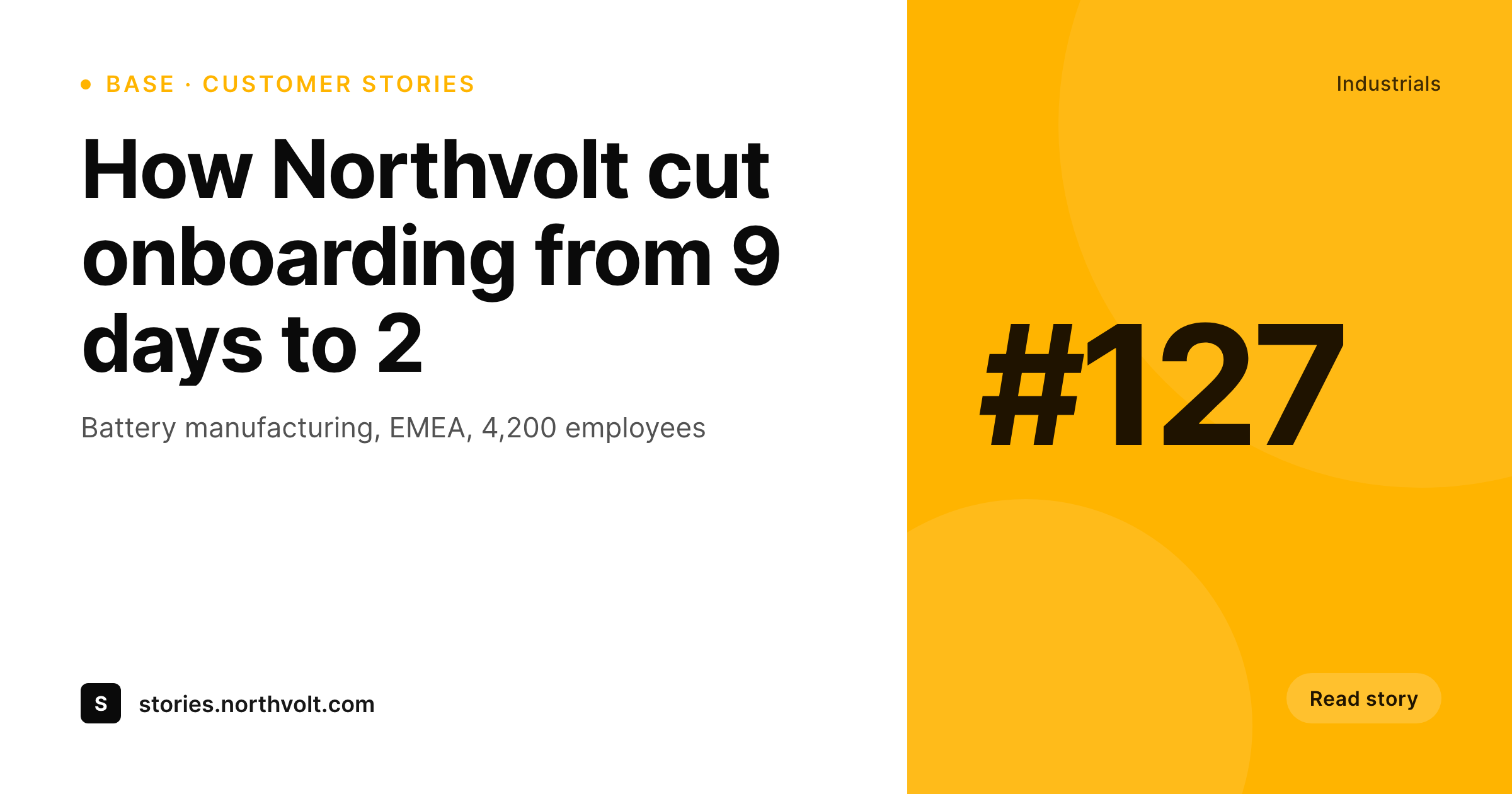
What rarely makes the sync is the share image. The record is in Airtable as text, the post is in WordPress as a public page, and the OG image for that public page is either missing or falls back to a site-wide default. Public-facing directories where dozens of records get linked daily share with the same homepage banner across every URL, and the share preview becomes a generic blur on Twitter, LinkedIn and Slack.
SleekPixel reads the WordPress post fields, which already mirror the Airtable record, and renders a per-record OG image. Customer story name, industry, headline win and logo all slot into the template. Every record link from then on shares with a card that says exactly what the page is about, with the directory's branding wrapped around it.
Workflow
From Airtable record to shareable page
Sync the base into WordPress
Build the record template
Render on save
Share the record links
Output
What ships with every Airtable record
A 1200 by 630 OG image: record title, category, headline field and brand mark, rendered from the WordPress post fields synced from Airtable.
Comparison
Default OG vs Airtable-aware rendering
Default theme OG
- Every record link shares with the same site-wide OG image
- Customer logos in Airtable never reach the share preview
- Industry and category tags from the base are missing on the card
- Updates to a record on the Airtable side never re-render the share image
- Manually designing share art per record is unrealistic across hundreds of rows
SleekPixel
- Reads WordPress fields synced from any Airtable base
- Per-record OG image with title, category and headline field
- Customer logos and headshots from Airtable attachments render onto the card
- Bulk re-render the directory when the template or brand changes
- Works with any Airtable-to-WordPress connector that writes post meta
Features
What SleekPixel gives you for Airtable records
Record-aware slots
Title, category, headline field and attachment all bind to template slots. The card stays specific to each row instead of generic to the directory.
Attachment rendering
Logos and photos uploaded as Airtable attachments come through the sync as media. The template picks the right attachment field and renders it into the card.
Re-renders on sync
When the next sync pulls updated records, the post saves and the PNG re-renders. Public link previews stay current with the Airtable source.
Use cases
Who renders Airtable records as cards
Customer story sites
Each story page is a row in the Airtable base. The OG card carries the customer name, industry and headline result, so shared links land as real previews.
Partner directories
Public partner or vendor directories ship per-partner cards with logo, tier and region. Sales teams forward links that arrive looking branded.
Awards and rankings
Annual award pages or company rankings render per-honoree cards from the Airtable list, ready for the recipients to repost.
The bigger picture
Why directory pages deserve per-row cards
Airtable-powered directories are some of the highest-effort, lowest-presentation pages on the modern web. Teams spend weeks curating customer stories, partner lists, award pages or podcast guest databases, then publish them as WordPress pages where every shared link looks identical because the OG image is whatever the theme defaulted to. The data is rich, the share is generic, and a sales rep forwarding a customer story URL ends up with a card that says nothing about the customer.
SleekPixel closes that loop by reading the same fields the directory already uses on the page and rendering them into a per-record OG image. The story page that took three weeks to source and write now shares with a card that surfaces the customer name, industry and headline win, and the LinkedIn click-through rate moves up because the card is honest about what is on the other side of the click. Across a directory of hundreds of records and thousands of shares per quarter, that single change quietly compounds the directory's reach without anyone in marketing needing to design a new asset.
Questions
Common questions about SleekPixel for Airtable records
No. SleekPixel reads WordPress post fields. The sync from Airtable to WordPress is handled separately by a connector like Whalesync, a Make scenario, a Zap or a custom REST script. Once the records are WordPress posts, SleekPixel renders from them.
Anything that writes Airtable fields into WordPress post meta or ACF fields. Whalesync, Make, Zapier with the WordPress action, custom REST scripts. The template binds to post fields, so the source of those fields is interchangeable.
Yes, once the attachment is synced into the WordPress media library by the connector. The template references the media field (featured image or a custom attachment field) and renders the image into the card slot.
The template can render the first value, a joined list or a primary tag. Most teams pick a single 'display tag' field in Airtable for the card and let the multi-select drive other parts of the page like filtering.
Re-renders happen when the WordPress post saves. The Airtable-to-WordPress connector determines how quickly that happens. Whalesync and webhook-based syncs can be near-real-time. Scheduled imports re-render at the next sync window.
Yes. SleekPixel supports per-taxonomy or per-meta-value template assignment. Customer stories with category 'enterprise' can render one layout and 'SMB' stories another, all from the same base.
A bulk re-render command regenerates every PNG with the new template. The file URLs stay the same, so existing og:image tags point to the new PNG. Social platforms re-scrape on the next share.
Yes, as long as the sync still creates WordPress posts. The OG image lives in WordPress and serves from there, even if the rendered front end is a separate Next or Astro app reading the WordPress REST API.
Pricing
More than 1000+
happy customers
Explore our flexible licensing options tailored to your needs. Upgrade your license anytime to access more features, or opt for a lifetime license for ongoing value, including lifetime updates and lifetime support. Our hassle-free upgrade process ensures that our platform can grow with you, starting from whichever plan you choose.
Lifetime ♾️
Most popular
EUR
once
- Unlimited websites
- Lifetime updates
- Lifetime support
...or get the Bundle Deal
and save €250 🎁
💎 Want everything forever? The All Access Pass is going away on 01.08.2026.
The Bundle (unlimited sites)
Pay once, own it forever
Elevate your WordPress site with our exclusive plugin bundle that includes all of our premium plugins in one package. Enjoy lifetime updates and lifetime support. Save significantly compared to buying plugins individually.
What’s included
-
SleekAI
-
SleekByte
-
SleekMotion
-
SleekPixel
-
SleekRank
-
SleekView
€749
Continue to checkoutBrowse more
- Twitch offline banners
- TikTok shop images
- TikTok Now image
- YouTube Music cover art
- Dailymotion thumbnails
- Instagram Shop product images
- VK community cover photos
- X ad images
- Depop listing images
- LinkedIn event banners
- Instagram ad images
- Pinterest video pin covers
- Facebook event covers
- Instagram bio link banners
- kbin post images