






SleekPixel for accounting firm
Tax alerts, advisory briefs, and partner essays already carry author, practice area, and effective date on the post. SleekPixel renders LinkedIn-ready cards on save so partners can move on time-sensitive guidance without a marketing handoff.
♾️ Lifetime License available
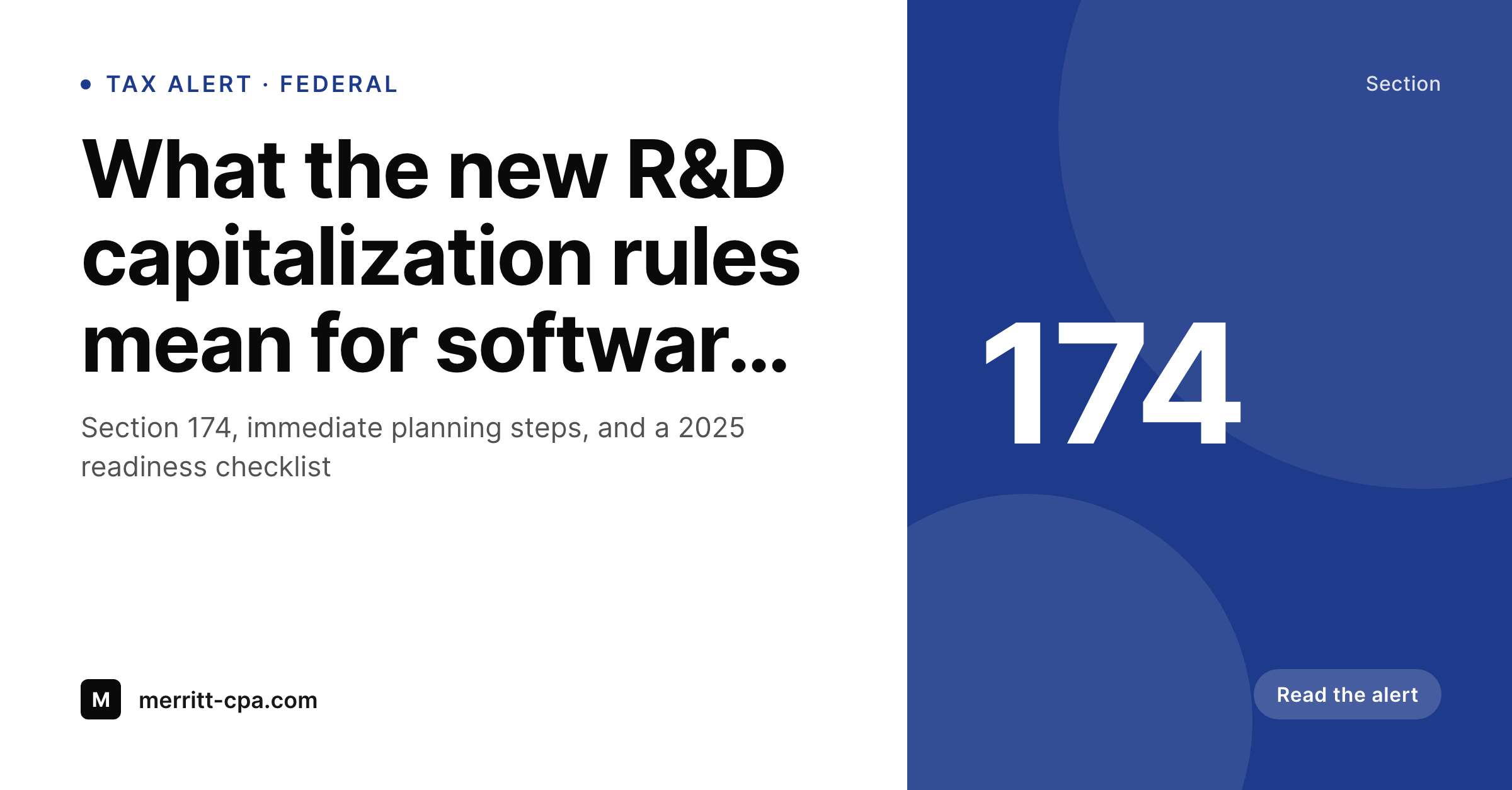
Tax alerts have a shelf life shorter than the design queue
Accounting firms ship a constant stream of timely guidance. A new IRS notice drops on a Friday afternoon, the tax practice writes a 600-word alert by Monday, and the firm needs partners to distribute it that week to clients who actually need to act on it. The piece is structurally identical to a hundred others the firm has published this year: headline, partner byline, practice area, effective date, jurisdiction tag, disclaimer footer. Yet every alert goes through the same handcrafted graphic-export process, and the lag between publication and partner distribution is exactly the time it takes design to turn around the share image.
The data is already structured. Tax alerts live as a CPT with practice area, jurisdiction, effective date, and partner byline as fields. Advisory briefs work the same way. Partner essays carry author, role, and office. Every share-image input is on the post; the only reason every alert doesn't ship with a card is that the rendering pipeline is, in most firms, a person opening Figma and retyping the headline.
SleekPixel takes the post as the source. The partner team composes one branded template with a disclaimer footer, maps the existing fields, and the cards render on save. Tax alerts ship with the practice area visible, the partner byline rendered, and the firm's wordmark in place. Partners distribute on the same day the alert publishes, which is the only timing that matters when the IRS just moved a deadline.
Workflow
From alert draft to partner distribution
Set the firm template
Map alert post types
Save through review
Partners distribute
Output
What ships with every tax alert
A 1200 by 627 LinkedIn-ready card with headline, partner byline, practice tag, jurisdiction, and firm wordmark, rendered live from the post fields.
Comparison
Marketing queue vs auto-rendered tax alerts
Designer / Canva
- Tax alerts go out late because the share image takes a day to render
- Partners share without a card and clients miss time-sensitive guidance
- Practice tags and jurisdiction get omitted when design is rushed
- Disclaimer language drifts when external tools generate the cards
- Firm rebrand forces redoing every alert in the archive by hand
SleekPixel
- Alerts, briefs, and partner essays render on save with full branding
- Partner byline, practice area, and jurisdiction from existing fields
- Disclaimer footer baked into the template, compliance-safe
- Bulk regenerate the archive on rebrand, no per-alert work
- Phone-friendly share so partners distribute on Friday afternoon
Features
What SleekPixel gives you for accounting firm
Tax-alert ready
Federal and state tax alerts render with practice tag, jurisdiction, and effective date. Partners distribute the same day the alert publishes.
Partner attribution
Each alert pulls the partner's name, title, and office into the byline slot. Clients see who wrote the guidance, not just the firm wordmark.
Compliance footer
Required disclaimer language renders into the card itself, not as an overlay. Marketing controls the language firm-wide in one template.
Use cases
What accounting firms generate with SleekPixel
Tax alerts
Every IRS notice or state-level update gets a same-day branded alert card. Partners distribute on time, clients get the guidance when it matters.
Advisory briefs
Sector-specific advisory briefs render with practice area and lead partner. Sales sends the link in a pitch and the preview frames the firm.
Partner essays
Partner-byline essays on tax planning or assurance render with portrait, title, and office. LinkedIn distribution actually moves work.
The bigger picture
Why timing and consistency define accounting brand
Accounting firms compete on perceived rigor and timing. A potential client picks an outside accountant partly on referral, partly on whether the firm visibly handled the last regulatory shift the client cared about. Tax alerts are the single most-shared surface in that signal: they show up in a partner's LinkedIn feed when a relevant rule changes, they get forwarded inside a CFO's team, and they form the impression of whether this firm is on top of the work or two days behind.
A firm that ships alerts without share cards, or with cards that drift visually across years of archive, looks slower and less organized than a firm that ships every alert with a clean, branded, partner-bylined preview. Across hundreds of alerts a year the cumulative effect compounds with every share. The second reason is operational.
Senior tax partners are the most expensive talent in the firm, and the easiest place for their distribution to leak is the friction between writing an alert and getting a partner to share it. Every hour design spends rendering an alert card is an hour the alert sits unposted, and partners will not tap share on a broken preview. SleekPixel removes both frictions by rendering the card automatically on save.
The alert ships the same day the IRS notice drops, partners distribute from a phone, and the firm's voice circulates at the speed clients actually need.
Questions
Common questions about SleekPixel for accounting firm
Yes. AICPA and state-board disclaimer language can render as a footer slot directly on the PNG, not as an overlay. The text is part of the image, so it can't be cropped out by a screenshot. Marketing and the QC team control the language firm-wide in one template.
Each practice can have a template variant tied to the practice taxonomy. Tax alerts, assurance updates, and advisory briefs render with their own accent and layout, while the firm wordmark and disclaimer footer stay unified across all variants.
Jurisdiction can render as a tag on the card, distinguishing federal from state-level guidance. Multi-state firms use this to flag whether an alert covers California, New York, or federal rules, so clients in different jurisdictions can scan the share preview and act.
SleekPixel renders on save, after your editorial flow has approved the alert. PublishPress, Edit Flow, or a custom QC chain all work. Compliance review and design rendering stay separate concerns and never collide.
Yes. Each partner has a WordPress user profile with a headshot field. The template reads the user record to render the partner byline with portrait, title, and office. When a partner updates their headshot, the next save re-renders the card.
If an alert is co-authored via Co-Authors Plus or a similar plugin, the template can render a co-byline slot with two partner names and headshots. Sector teams that ship joint guidance get visible joint attribution on the share.
Yes. Render rules scope per post type, per category, per visibility flag. Internal client memos, draft alerts, and partner-only communications can be excluded entirely while public alerts and briefs always render.
No. Edit the template once, run a bulk regenerate, and every alert in the archive refreshes to the new visual. The PNG file is replaced in uploads, OG tags pick up the new artwork, and the archive stays consistent without per-alert handwork.
Pricing
More than 1000+
happy customers
Explore our flexible licensing options tailored to your needs. Upgrade your license anytime to access more features, or opt for a lifetime license for ongoing value, including lifetime updates and lifetime support. Our hassle-free upgrade process ensures that our platform can grow with you, starting from whichever plan you choose.
Lifetime ♾️
Most popular
EUR
once
- Unlimited websites
- Lifetime updates
- Lifetime support
...or get the Bundle Deal
and save €250 🎁
💎 Want everything forever? The All Access Pass is going away on 01.08.2026.
The Bundle (unlimited sites)
Pay once, own it forever
Elevate your WordPress site with our exclusive plugin bundle that includes all of our premium plugins in one package. Enjoy lifetime updates and lifetime support. Save significantly compared to buying plugins individually.
What’s included
-
SleekAI
-
SleekByte
-
SleekMotion
-
SleekPixel
-
SleekRank
-
SleekView
€749
Continue to checkoutBrowse more
- kbin post images
- Notion page covers
- Substack podcast cover
- TikTok shop images
- Odnoklassniki banners
- Discord stage banner
- LinkedIn company banners
- Stan Store cover
- Amazon A+ content images
- YouTube community images
- Poshmark listing images
- Ko-fi banners
- podcast cover art
- Instagram grid tiles
- Farcaster cast images