






SleekPixel for API update card
API changelogs go out to developer audiences who scrutinize the details. SleekPixel renders a card per API update from the changelog post, with the version, endpoint, and change-type pulled from custom fields. og:image meta tag goes in automatically.
♾️ Lifetime License available
Developer audiences notice the share preview
API consumers are not casual readers. They subscribe to the changelog, they share specific releases in their team Slack, they reference past versions in pull-request descriptions. When the share preview for an API update looks like a generic stock-photo card, it signals that the company does not pay attention to the developer surface. When the preview shows the version, the affected endpoint, the change type (breaking, additive, deprecation), the share itself becomes useful information.
SleekPixel turns API changelog posts in WordPress into rendered cards. Version field, endpoint field, change-type field, and release date all bind to layers in the template. On save, the card renders as a PNG, og:image and twitter:image point at it, and the share preview communicates the substance of the update before anyone clicks through.
Engineers sharing the update internally see the version and the endpoint in the unfurl. The community manager tweeting the deprecation timeline sees the same data in the Twitter card. The change-type badge tells everyone at a glance whether they need to read it now or later.
Workflow
From API release to changelog card
Template the changelog card
Write the changelog entry
Save and verify
Share to developers
Output
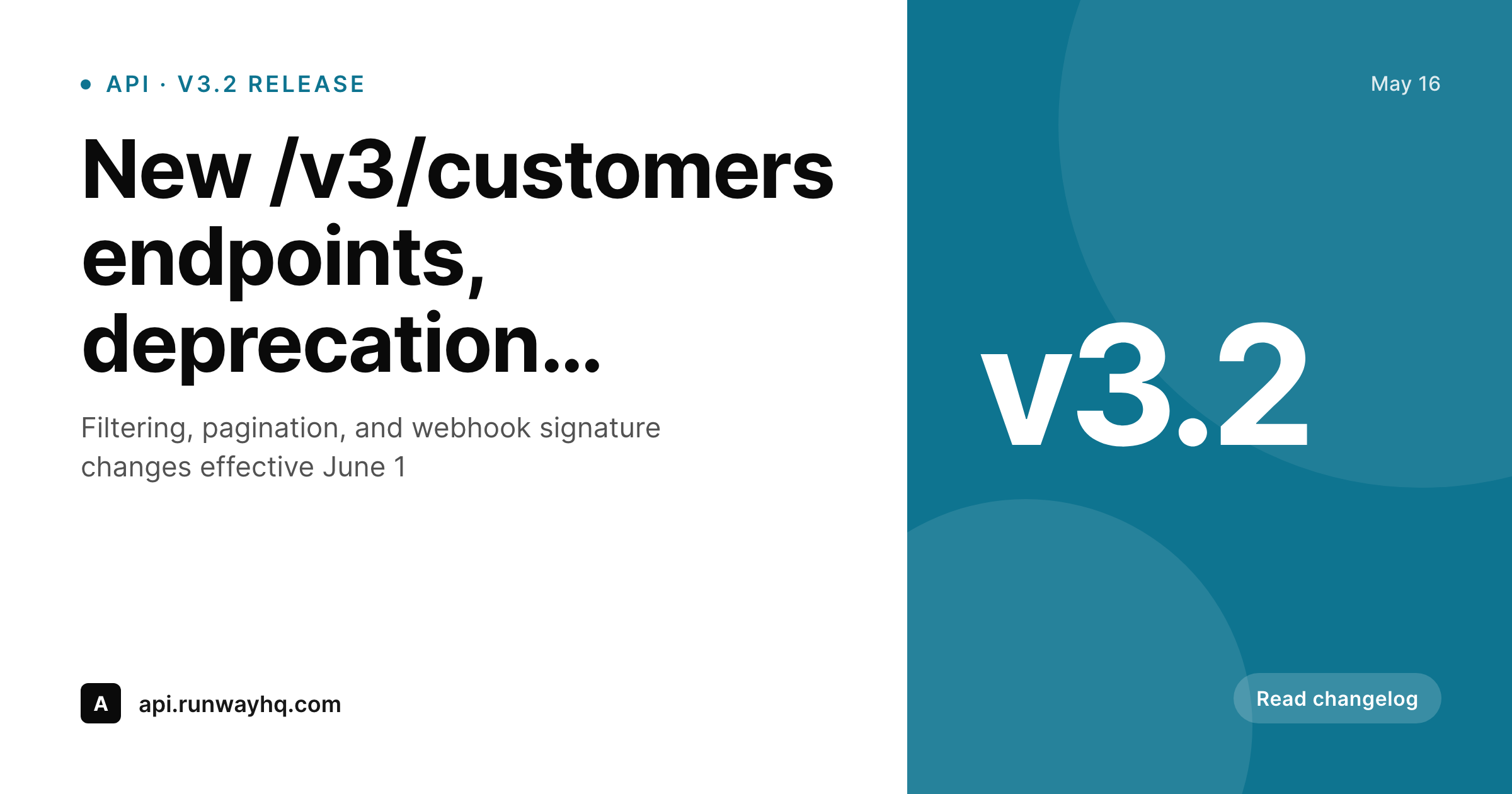
Sample API update card
A 1200x630 OG card with the version number, the affected endpoint, the change-type badge, and the release date.
Comparison
Generic stock OG vs SleekPixel
Site-wide default OG image
- Every changelog entry shares with the same site logo
- Developers cannot tell at a glance whether the update is breaking
- Version number lives in the post title but not in the share preview
- Endpoint references show up only after the reader clicks through
- Comms teams export hero images by hand for the big releases only
SleekPixel
- Version, endpoint, and change-type rendered into the card
- Breaking, additive, and deprecation badges via custom field
- Render runs on save, same engine for every changelog entry
- og:image meta tag written into the post head automatically
- Bulk regenerate when the brand or template updates
Features
What SleekPixel gives you for API update card
Version-first layout
The version number sits in a fixed corner of the card. Readers scanning a feed full of changelog shares can pick out the v3.2 vs v4.0 at a glance.
Change-type badges
Breaking changes render in red, additive in green, deprecations in amber. The custom field on the post drives the badge color directly, no manual styling per release.
Endpoint rendering
Affected endpoints render in monospaced type in a clear band on the card. Developers see exactly which routes the update touches before clicking through.
Use cases
API teams this fits
Public API products
Stripe-style API products where the changelog is a marketing surface. Every entry deserves a card that communicates substance, not a generic share.
Developer relations
DevRel teams sharing API updates in dev communities need previews that say what changed. SleekPixel makes every share read like a release note rather than an ad.
Deprecation cycles
Long deprecation timelines require clear communication. A deprecation badge on the share preview reinforces the message every time the post gets shared internally.
The bigger picture
Why API share previews matter to developer audiences
Developer audiences are the toughest audience to fake credibility with. They use the product, they read the source, they notice when a deprecation timeline shifts by a week. The share preview for an API update is a tiny but real signal of how seriously the team takes the developer surface.
A preview that reads 'Acme API v3.2 breaking change to /customers, effective June 1' is information. A preview that reads 'Acme API blog post' is noise. Companies that have built a real developer brand, Stripe, Twilio, Vercel, Linear, treat the changelog as a first-class product surface.
The share previews on their API updates are templated and substantive, and they read consistently across hundreds of releases. SleekPixel makes that level of polish accessible to API teams that do not have a dedicated developer-marketing designer. The data already lives in the post fields.
The render runs on save. The preview earns the credibility that the engineering work deserves.
Questions
Common questions about SleekPixel for API update card
Yes. The custom field value (breaking, additive, deprecation, info) maps to a color in the template. Set the mapping once, every release picks the right color automatically.
The endpoint layer auto-shrinks within its bounding box. A path like /v3/customers/{id}/payment_methods fits cleanly, with optional truncation rules if the path exceeds a configurable max width.
SleekPixel is a WordPress plugin. If your changelog is built on Mintlify or another static-site tool, you would need a different approach. If your changelog lives in WordPress as a custom post type, SleekPixel applies directly.
Yes. Configure a separate template scoped to the docs landing page. The landing page gets its own card, each changelog entry gets its release-specific card. Different templates, same plugin.
The endpoint field can hold a multi-line value or an array. The template can render up to N endpoints with auto-shrink if the list is long. Releases affecting 10+ endpoints typically use a summary line ('5 endpoints under /v3/customers') instead.
It is the cleanest setup. Put the version in a dedicated field so it can render in the corner consistently. You can also parse it from the post title with a small filter, but the field approach is more reliable.
SleekPixel only writes the image and meta tags. Triggering email or Slack notifications based on the change-type field would be a separate plugin or workflow. SleekPixel does not handle outbound messaging.
Yes. SleekPixel writes og:image and twitter:image, your SEO plugin handles the rest of the meta. Yoast and Rank Math both leave og:image to whatever sets it last, which is SleekPixel.
Pricing
More than 1000+
happy customers
Explore our flexible licensing options tailored to your needs. Upgrade your license anytime to access more features, or opt for a lifetime license for ongoing value, including lifetime updates and lifetime support. Our hassle-free upgrade process ensures that our platform can grow with you, starting from whichever plan you choose.
Lifetime ♾️
Most popular
EUR
once
- Unlimited websites
- Lifetime updates
- Lifetime support
...or get the Bundle Deal
and save €250 🎁
💎 Want everything forever? The All Access Pass is going away on 01.08.2026.
The Bundle (unlimited sites)
Pay once, own it forever
Elevate your WordPress site with our exclusive plugin bundle that includes all of our premium plugins in one package. Enjoy lifetime updates and lifetime support. Save significantly compared to buying plugins individually.
What’s included
-
SleekAI
-
SleekByte
-
SleekMotion
-
SleekPixel
-
SleekRank
-
SleekView
€749
Continue to checkoutBrowse more
- partnership card
- rating cards
- contributor spotlight card
- job posting
- expectation vs reality cards
- industry report cards
- book quote cards
- quarterly update cards
- library of the week card
- deprecation cards
- before-after comparison images
- OKR recap card
- tech stack card
- tweet screenshot card
- weekly recap cards
- Mailchimp email headers
- LinkedIn document post covers
- Telegram channel images
- Linktree banner image
- Pinterest pins
- Vimeo channel banners
- Mastodon link previews
- Mastodon profile banners
- Rumble thumbnails
- Patreon post thumbnails
- KDP paperback cover
- Ko-fi shop images
- X social cards
- Bandcamp release cover
- LinkedIn article covers