






SleekPixel for case study quote cards
B2B teams publishing case studies need a share asset that quotes the customer, names the role, and credits the company. SleekPixel renders one card per case study quote in WordPress, built from the fields on save.
♾️ Lifetime License available
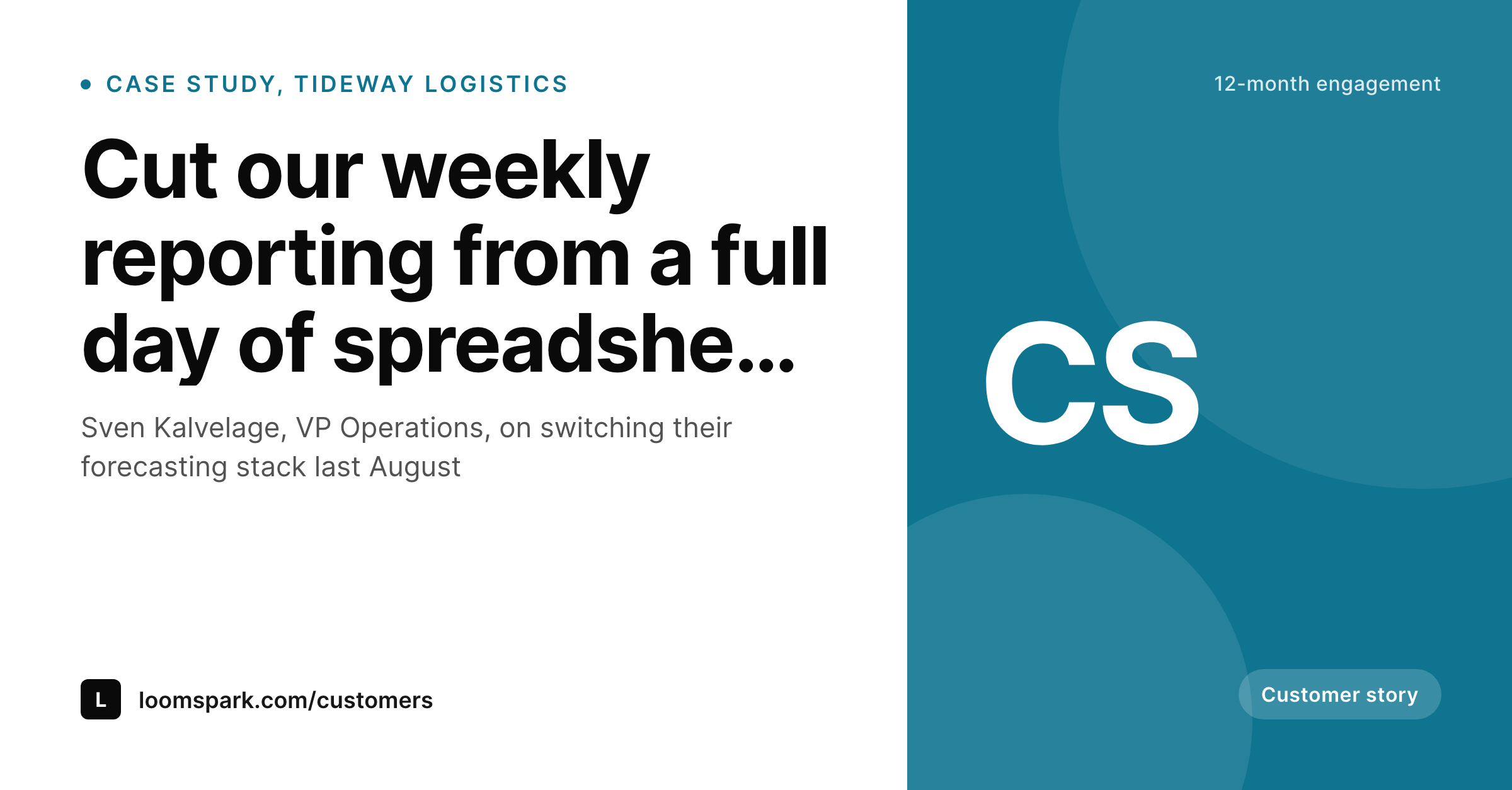
Case study quotes do their best work on LinkedIn
The strongest moment in a B2B case study is usually a single sentence from the customer. The before-and-after number, the candid description of the old process, the line that captures why the team picked the new vendor. That sentence does the heavy lifting in the case study itself, and it does even more work when it travels onto LinkedIn as a quote card. The case study is the long version, the quote card is the version that gets shared.
The standard practice is to draft the case study in a doc, ship it to a designer who builds a Figma quote card, get the customer's headshot and logo cleared by their PR team, and publish both the case study page and the social asset together. The first three case studies look great. The next twelve drift in style because the designer is on a different project, the headshot crops vary, and the outcome stat in the quote card sometimes does not match the one on the page because the doc moved on.
SleekPixel binds the quote card to the case study post itself. The featured quote, the customer name, the role, the company, the headshot, and the headline outcome stat all come from fields on the case study post. The card renders on save, og:image is written automatically, and the LinkedIn-ready PNG is downloadable from the post. Edit the quote, save, the card updates.
Workflow
From case study to share card in one save
Design the quote card template
Set up the case study post type
Save the case study
Push the share
Output
What a generated case study quote card looks like
A 1200x627 LinkedIn-ready card with the customer quote, name, role, company, headshot, and a headline outcome stat in a fixed slot.
Comparison
Manual Figma quote card vs SleekPixel
Manual Figma quote card
- Case study page and social card live in different files that drift
- Headshot crops vary across customers and case studies
- Outcome stat on the quote card sometimes contradicts the one on the page
- Each case study takes a separate design pass from a real designer
- No regeneration path when the page copy changes after launch
SleekPixel
- Render fires on save for every case study post
- Quote, role, company, and outcome stat pulled from case study fields
- Customer headshot rendered in a fixed slot at consistent crop
- og:image and twitter:image meta tags written automatically
- Quote edits regenerate the card before the next share
Features
What SleekPixel gives you for case study quote cards
Quote-first hierarchy
The customer's sentence is the largest element on the card. The attribution sits underneath, the logo and headshot sit in fixed slots so the quote stays the dominant element regardless of length.
Outcome stat in a fixed slot
A small slot in the corner carries the headline number from the case study, such as a percent saved or a multiplier achieved. The card communicates the story and the proof in one frame.
Logo and headshot consistency
Customer logos and headshots render at a fixed size and crop. The template handles cases where the headshot is missing by falling back to a logo-only layout that still reads cleanly.
Use cases
Where case study quote cards earn their keep
B2B SaaS marketing teams
Teams publishing a steady cadence of customer stories. Each new case study ships with a LinkedIn-ready quote card that sales reps can drop into outbound and ABM sequences.
Agencies and consultancies
Firms running an active portfolio of client work. Templated quote cards keep the visual brand consistent across many clients in different sectors.
Sales-led founders
Founders who close deals with customer references. The quote card becomes a single PNG to drop into a deck, a follow-up email, or a LinkedIn DM.
The bigger picture
Why the share card belongs in the same workflow as the case study
Case studies do their best work on LinkedIn, and the quote card is the version of the case study that LinkedIn actually shows. Treating the share asset as a separate Figma file produces two failure modes. The first is style drift, where each successive case study quote card looks slightly different than the last, and the social grid loses its visual continuity over a year.
The second is content drift, where the outcome stat on the quote card no longer matches the number in the case study because the doc moved on after the asset was exported. Binding the card to the case study post fixes both. The card uses the same number the page uses, and the same template applies to every case study without a designer in the loop.
The marketing team spends its time writing the case studies, not exporting the assets.
Questions
Common questions about SleekPixel for case study quote cards
Yes, in practice. Case study approval workflows usually require sign-off on the page and the share assets together. The template makes the asset cheap to produce, which means feedback loops are faster and revisions cost almost nothing.
Yes. Add a repeater field for featured quotes and SleekPixel can render one card per quote. Each card gets its own URL slug so they can be shared independently.
The template can fall back to a logo-only layout when the headshot field is empty. The quote and attribution stay readable, the visual hierarchy adjusts automatically.
Yes. A conditional overlay can render a play button when the case study has a video. Clicking the share image leads to the case study page where the video is embedded.
SleekPixel reads from any WordPress post type and meta keys. If your case studies live in WordPress, the integration is direct. If they live in Webflow or Notion, an import pipeline can mirror them into WordPress for rendering.
Yes. The number and the unit (percent, multiplier, currency, hours) come from separate fields. The template renders them together with consistent typography across all case studies.
Headless render on save, usually under a second. The save returns immediately and the PNG lands in uploads in the background.
Yes. The bulk regenerate action re-renders every case study quote card under a chosen template. Useful before a major launch when the whole portfolio gets a refreshed look.
Pricing
More than 1000+
happy customers
Explore our flexible licensing options tailored to your needs. Upgrade your license anytime to access more features, or opt for a lifetime license for ongoing value, including lifetime updates and lifetime support. Our hassle-free upgrade process ensures that our platform can grow with you, starting from whichever plan you choose.
Lifetime ♾️
Most popular
EUR
once
- Unlimited websites
- Lifetime updates
- Lifetime support
...or get the Bundle Deal
and save €250 🎁
💎 Want everything forever? The All Access Pass is going away on 01.08.2026.
The Bundle (unlimited sites)
Pay once, own it forever
Elevate your WordPress site with our exclusive plugin bundle that includes all of our premium plugins in one package. Enjoy lifetime updates and lifetime support. Save significantly compared to buying plugins individually.
What’s included
-
SleekAI
-
SleekByte
-
SleekMotion
-
SleekPixel
-
SleekRank
-
SleekView
€749
Continue to checkoutBrowse more
- YouTube ad thumbnails
- LinkedIn ad images
- LinkedIn company banners
- Tidal cover art
- Beacons.ai banner
- YouTube end screens
- GitHub README banners
- Lens Protocol posts
- YouTube thumbnails
- Pinterest shop banners
- Twitch panel images
- Notion page covers
- Buy Me a Coffee banners
- Mastodon post images
- Apple Music cover art