






SleekPixel for Twitter thread card
Thread title, tweet count, and your handle already live on the post. SleekPixel renders the Twitter card cover on save so the link preview matches the thread instead of defaulting to a generic site logo.
♾️ Lifetime License available
Why thread covers matter for archive traffic
The thread lives on Twitter. The archive of threads lives on the writer's site. Both surfaces matter, and they earn traffic differently. Twitter gives a thread one strong distribution window the day it ships. The site gives it indefinite long-tail discovery, plus the shareable URL that the writer drops into newsletters, podcasts, and DMs months later. The link preview from that URL is what decides whether a stranger clicks.
Most thread archives default to a generic site OG image. Every link preview looks the same: site name, site logo, and a tiny excerpt. The thread loses the visual signal that worked on Twitter. The writer either accepts the lower click-through or hand-designs an OG image per thread, which is the kind of recurring design task that gets abandoned after twenty posts.
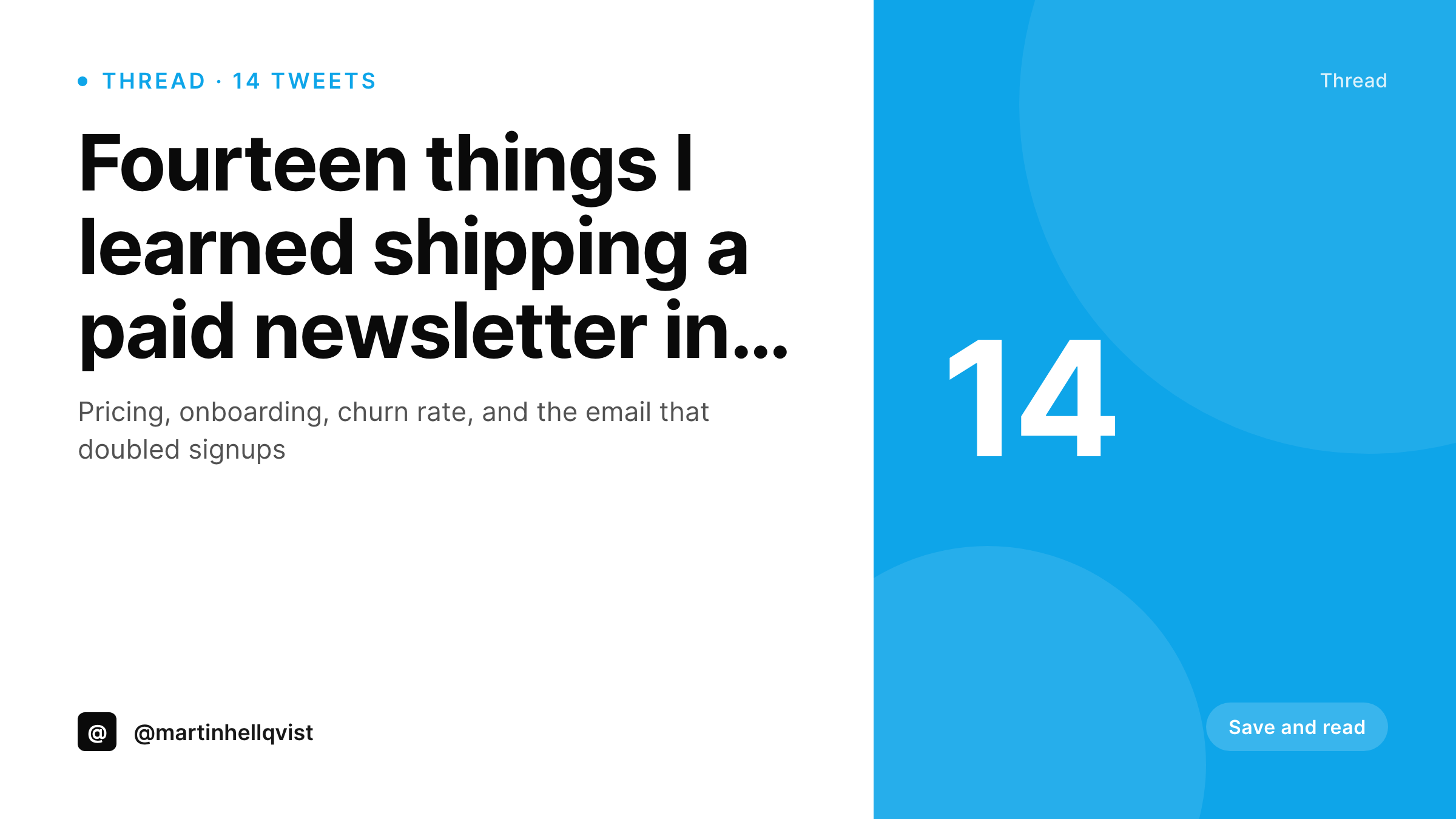
SleekPixel renders the cover from the same post that holds the thread. Title, tweet count, accent, and author handle assemble into a Twitter-card-sized image (1200x675) on save. The og:image meta tag updates, the link preview on Twitter, Slack, and LinkedIn reflects the actual thread, and the archive becomes a real distribution channel instead of a backup.
Workflow
From thread to archive-ready cover
Set up the cover template
Unroll the thread to the post
Share the archive URL
Refresh after edits
Output
What a rendered thread card looks like
A 1200x675 Twitter card cover with thread title, tweet count, author handle, and accent color, composed from the post fields.
Comparison
Generic OG vs rendered thread cover
Default site OG image
- Every thread shares with the same site-logo preview
- Long thread titles get truncated in the default card
- Writer skips OG image creation for shorter threads
- Archive URLs get fewer clicks than the original thread
- Cross-platform shares (Slack, LinkedIn) inherit the weak preview
SleekPixel
- Thread cover renders on save from title, count, and handle
- Long titles auto-fit between min and max size bounds
- Tweet count mark stays anchored regardless of title length
- og:image updates so every share inherits the new cover
- Bulk regenerate covers the archive after a brand refresh
Features
What SleekPixel gives you for Twitter thread card
Title auto-fit
Short thread titles render at a larger size, long titles scale down. Both fill the 1200x675 frame without manual sizing or line-break tweaks.
Count mark
The tweet count renders as a small corner mark. A 4-tweet thread reads as quick, a 28-tweet thread reads as a long-read. The signal is in the cover.
Universal preview
Because SleekPixel writes the og:image, every channel (Slack, LinkedIn, WhatsApp, email clients) inherits the new cover, not just Twitter.
Use cases
Where rendered thread covers earn back time
Indie writer archives
Solo writers who unroll threads to their site get a real OG image per thread without spending design time on the back catalogue.
Multi-author publications
Publications with several thread contributors keep visual consistency. Author handle and accent come from the writer profile, not a Canva file.
Newsletter cross-promo
Threads embedded in a newsletter as link previews need a strong cover. The rendered card carries the thread's identity into the email reader.
The bigger picture
Why thread archives need their own visual identity
Threads have an unusual second life. The original tweets compound likes and replies on Twitter, and a meaningful share of long-term readers find the writer through the archived version on the site. That archive lives or dies on the link preview.
A generic site logo on every URL flattens out what was a distinctive thread. A rendered card per thread gives every shared URL a visual that mirrors what made the original work. Writers who care about long-tail discovery already know this and still skip the OG image, because designing a card per thread is the kind of recurring task that fails quietly.
The fix is removing the manual step. The post holds the data the cover needs, the template encodes the layout, and the renderer closes the loop. Archives become a distribution channel that compounds with publishing.
Questions
Common questions about SleekPixel for Twitter thread card
Yes. The card size (1200x675) is the Twitter card size, which X still uses. The same image works on both, plus LinkedIn and Slack previews.
If you store the first tweet as the post title or a field, the template binds to it directly. Most writers prefer a separate concise headline for the card, which can also be a field.
Only if the thread is stored as structured content. If you keep the thread in an ACF repeater with one row per tweet, count(rows) feeds the mark slot. If the thread is one rich text field, type the count into a separate field.
Yes. Tag the post with a topic and bind the accent to the taxonomy. Threads on growth, product, or design each get a distinct visual without separate templates.
It updates on the URL itself. Most platforms cache the preview the first time they see the link. Use the platform's card debugger (Twitter Card Validator, LinkedIn Post Inspector) to refresh the cache if needed.
Yes. Register a 1200x627 LinkedIn size against the same template. Each save renders both 1200x675 and 1200x627. LinkedIn picks its preferred ratio automatically.
Run a bulk regenerate over the thread archive. Every old post renders a fresh cover under the new template without re-importing the threads.
Yes. Twitter reads the og:image and twitter:image meta tags. SleekPixel writes both. Use the Twitter Card Validator to confirm and clear cache if needed.
Pricing
More than 1000+
happy customers
Explore our flexible licensing options tailored to your needs. Upgrade your license anytime to access more features, or opt for a lifetime license for ongoing value, including lifetime updates and lifetime support. Our hassle-free upgrade process ensures that our platform can grow with you, starting from whichever plan you choose.
Lifetime ♾️
Most popular
EUR
once
- Unlimited websites
- Lifetime updates
- Lifetime support
...or get the Bundle Deal
and save €250 🎁
💎 Want everything forever? The All Access Pass is going away on 01.08.2026.
The Bundle (unlimited sites)
Pay once, own it forever
Elevate your WordPress site with our exclusive plugin bundle that includes all of our premium plugins in one package. Enjoy lifetime updates and lifetime support. Save significantly compared to buying plugins individually.
What’s included
-
SleekAI
-
SleekByte
-
SleekMotion
-
SleekPixel
-
SleekRank
-
SleekView
€749
Continue to checkoutBrowse more
- Substack podcast cover
- LinkedIn article covers
- Ghost feature images
- Notion page covers
- WeChat Moments images
- Slack channel headers
- LinkedIn banner images
- Flickr cover photo
- Ko-fi banners
- Fanvue page banner
- Audible audiobook cover
- Patreon tier images
- Dribbble shot covers
- YouTube community images
- Twitch overlay