






SleekPixel for sales coach
A four-rep AE ramp closes out, a discovery rubric change ships across two teams, a mid-quarter pipeline review goes live on a Thursday. Each case note or review post saves with a 1200x627 card that frames the metric, the rep count, and the practice mark.
♾️ Lifetime License available
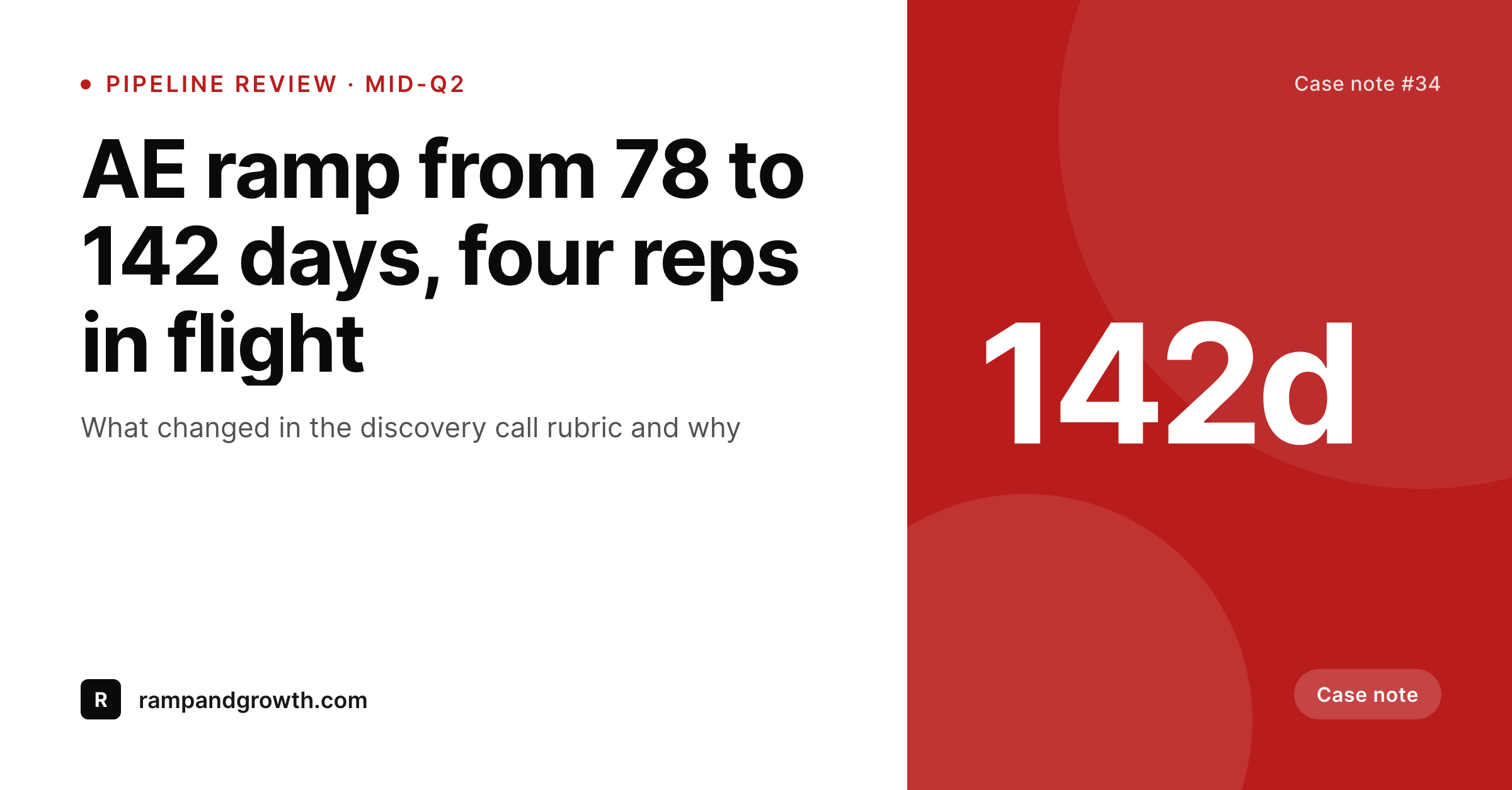
Sales coaching sells on proof, the proof has to be readable at a scroll
A sales coach gets hired on numbers. AE ramp time, attainment rate, deal cycle compression, win rate on outbound, conversion from discovery to proposal. The case notes that drive referrals all live in those numbers, and the LinkedIn feed of a sales coach is essentially a slow-release reel of those numbers framed by the work that produced them. Each case note wants to read clearly at a scroll: what changed, by how much, across how many reps, over how many days.
The drift is the usual problem. Numbers retyped from a spreadsheet, days vs weeks confused, rep counts off by one because someone left mid-engagement. The card looks fine in isolation, but a scroll of twelve case notes from a year reads as a practice that does not run on the discipline it claims to teach. That contradiction is exactly the thing a VP of sales is screening for before booking the discovery call.
SleekPixel renders the card from the case note post. The metric, the rep count, the engagement length, and the practice mark all come from the same record the coach already keeps. The number on the card matches the number in the body of the post. The LinkedIn card and the OG image both wire to the same render, so reshares from former clients unfurl with the metric framed cleanly.
Workflow
From pipeline review to LinkedIn card
Map the case note fields
Design one case-note template
Publish the case note
Share to the feed
Output
What gets generated per case note
A 1200x627 LinkedIn card with the headline metric, the rep count, the engagement length, and the practice brand. Pulled from the case note CPT.
Comparison
Default sales coach image vs SleekPixel
Default sales coach image
- Each case note rebuilt in Canva with numbers retyped from a sheet
- Days vs weeks mixed up across consecutive cards
- Rep counts drift between the card and the body of the post
- Engagement length on the card disagrees with the proposal that won the work
- Card on the post URL unfurls as the headshot, not the metric
SleekPixel
- Save the case note post, the 1200x627 card lands in uploads
- Metric, rep count, and engagement length pulled live from the post
- Same numbers on the card and in the post body
- Post URL wires the og:image to the metric card for reshares
- One template across case notes keeps the proof reel consistent
Features
What SleekPixel gives you for sales coach
Metric on the post
Headline metrics like ramp days, win rate, or deal cycle render directly from the case note fields, not from a Canva retype.
Rep count baked in
Cohort size is a field on the case note. Two reps, four reps, twenty SDRs, all render correctly on the card without manual editing.
Reshare-ready
The post URL unfurls with the case note card. A VP of sales reshares the link and the metric is the first thing the next reader sees.
Use cases
Who uses SleekPixel for sales coaches
AE ramp coaches
Practices focused on getting new AEs to ramp inside a target window. Each ramp closes with a case note rendered to the feed.
SDR and BDR coaches
Pipeline gen coaches working with SDR teams. Outbound conversion, meeting set rate, and reply rate render as the metric on the card.
Enterprise sales leaders
Coaches working with deal teams on six and seven figure deals. Win rate and deal cycle compression render from the case note.
The bigger picture
Why a sales coach should look like the rigor on offer
A sales coach is hired by sales leaders who run rigorous numbers themselves, and the screen happens before the first call. A LinkedIn feed full of mismatched case notes (different metrics on the card and in the post, days that should be weeks, rep counts that move between paragraphs) reads to a VP of sales like the coach does not run their own pipeline. That contradiction kills the discovery call.
Deriving the card from the case note fixes the source of truth. The metric on the card is the metric in the body. The rep count is the rep count.
The engagement length matches the closed-won proposal. A year of case notes built this way reads as a practice that lives by the rigor it teaches, which is the only signal a sales leader is paying attention to before they decide whether the coach is real.
Questions
Common questions about SleekPixel for sales coach
Yes. Some case notes render a percentage, some render days, some render a multiplier. The template handles each format and adjusts type sizes to keep the layout legible.
Yes. The template is metric-agnostic. SaaS coaches render ramp days and quota attainment, high-ticket coaches render close rate and average deal size, both pull from the post.
Yes. The card can render the rep count and the segment without naming the company. Many practices render anonymous cards by default and add the logo only with permission.
No. SleekPixel reads fields on the WordPress post. Pulling numbers from a CRM is a separate integration; once the metric lives on the post, SleekPixel renders the card.
Yes. One save can render a 1200x627 LinkedIn card and a 1200x630 OG image together. Each format is configured once.
No. SleekPixel renders the image. Posting is a manual step from the LinkedIn app or a scheduler like Buffer.
Yes. Editing the case note and saving re-renders the card with the updated metric. The image attached to the post stays current.
No. SleekPixel renders static PNG and JPG only. Video clips from Gong or Chorus are out of scope, the focus is the still image tied to the post.
Pricing
More than 1000+
happy customers
Explore our flexible licensing options tailored to your needs. Upgrade your license anytime to access more features, or opt for a lifetime license for ongoing value, including lifetime updates and lifetime support. Our hassle-free upgrade process ensures that our platform can grow with you, starting from whichever plan you choose.
Lifetime ♾️
Most popular
EUR
once
- Unlimited websites
- Lifetime updates
- Lifetime support
...or get the Bundle Deal
and save €250 🎁
💎 Want everything forever? The All Access Pass is going away on 01.08.2026.
The Bundle (unlimited sites)
Pay once, own it forever
Elevate your WordPress site with our exclusive plugin bundle that includes all of our premium plugins in one package. Enjoy lifetime updates and lifetime support. Save significantly compared to buying plugins individually.
What’s included
-
SleekAI
-
SleekByte
-
SleekMotion
-
SleekPixel
-
SleekRank
-
SleekView
€749
Continue to checkoutBrowse more
- Mastodon link previews
- Bluesky link cards
- Lemon8 post
- Threads social images
- YouTube podcast thumbnails
- Pinterest board covers
- Bluesky profile banner
- Mailchimp email headers
- TikTok cover images
- Patreon cover images
- Facebook ad images
- Facebook Shop product images
- Open Graph images
- Pinterest shop banners
- Twitch overlay